No cover art


Description
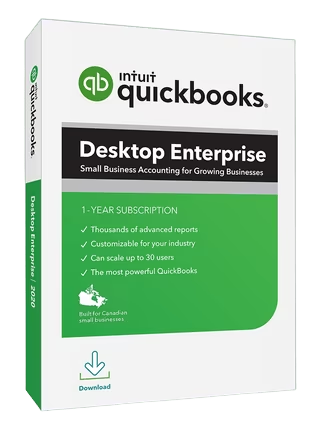
QuickBooks : Enhanced visibility and control to help power your business. An all-in-one flexible business solution. QuickBooks Enterprise 24.0 helps improve decision-making, efficiency, and productivity with a clear line of sight across your business.
QuickBooks Enterprise : Feature
Enterprise accounting
– Enterprise gives you everything in one place—accounting, inventory management, reporting, pricing rules, job costing, payroll, time tracking, and more.
– Get capacity for 1 million customers, vendors and inventory items, 100,000 classes, and 45 custom fields.*
Maintain control of your data with custom user permissions.* Delegate work by user or role, and assign access only to specific data, transactions, and reports.
– Streamline order management with one central dashboard that controls your entire pick, pack, and ship process, including sending instructions to mobile devices.
Built-in payroll
– Payroll** is already fully integrated—no separate purchase required.
– Easily prepare, file, and send W-2s and 1099s.*
– Quickly pay employees with checks, direct deposit,* or both.
– NEW! Offer your team a 401(k) retirement plan through Guideline that’s fully integrated with QuickBooks.*
– NEW! Improve administrator productivity with detailed employee profile information available in a single Employee Center.*
Integrated payments
– Accept cards, eChecks and ACH transfers with QuickBooks Desktop Payments.
– Get paid 1.4x faster than with paper invoicing.*
– Enterprise automatically records and matches your payment transactions.
– Preferred rates available for Enterprise customers.**
Apps & integrations
– Integrate the apps you use today and expand your toolkit with access to more than 200 apps.*
– Manage your online sales and inventory in one place by integrating e-commerce* channels with QuickBooks.
– Sync QuickBooks with the Salesforce CRM Connector* to reduce duplicate data entry, generate invoices automatically, and serve customers better.*
Pre-built and customizable reporting
– Get more than 200 customizable, built-in reports, including 70 industry-specific reports—or build your own report.
– Create and revise budget, plan, and forecast scenarios.
– Manage inventory and sales fulfillment, track job costs, and view clients and expenses with reports tailored to your industries.
Manage inventory across warehouses with multi-level categorization
– Track inventory items* down to the specific bin or pallet across warehouses or even trucks.
– Easily transfer inventory from one location to another to meet demand without delays.
– Use up to four levels of inventory categorization and assign expiration dates to sell items more quickly, reducing losses.
Landed cost
– Factor in freight, duties, insurance, and other miscellaneous expenses to calculate a more accurate cost for your products. .
– Gain flexibility by setting up landed cost accounts as COGS or “other current assets.”
– Calculate landed cost* for old bill items from closed accounting periods.
Order management
– Manage sales orders from one central dashboard from start to finish with our pick, pack, and ship tools.*
– Group orders together and apply the same action to them by batching.
– Send electronic instructions to a picker through a mobile scanner* or Android device, or print them if you choose.
– Use the Shipping Manager* to fill out and print a label from UPS, FedEx, or USPS.
Manufacturing
– Keep costs down and profits up by tracking raw materials to finished goods, including labor and shipping with landed cost and bill of materials.
– Make your manufacturing processes more efficient with automated inventory levels, builds, and purchase orders for all subassemblies and final assemblies.
– Automate more inventory processes with tools like mobile barcode scanning* to speed up picking, receiving, and cycle count* inventory updates.
– Streamline order management by controlling your entire pick, pack, and ship workflow from one central dashboard, sending instructions to mobile devices across locations.
Wholesale
– Get a true picture of all your costs with landed cost* calculations that include shipping, duties, taxes, insurance, and other fees.
– Apply automatic pricing rules* to maintain profits while you reduce manual work.
– Increase efficiencies with a single source for all your vendor information.
– Use mobile barcode scanning* for picking, receiving, and cycle count inventory updates.
– Integrate QuickBooks with top online stores and marketplaces with inventory counts updated automatically.
Construction and contractors
– Track job costs in real time from estimate to final invoice right in QuickBooks Enterprise.
– Manage your workforce wherever they are with cloud access.*
– Connect your office and field staff, schedule jobs, and invoice on site with Intuit Field Service Management.*
– Sync time tracking on mobile devices* with QuickBooks.
– Easily pay employees and contract workers with QuickBooks Payroll.*
Professional services
– Track projections to actual results with project costing.
– Let employees keep track of time spent on specific projects from anywhere with QuickBooks Time Elite.*
– Quickly pay employees and contractors via check, direct deposit,* or both with QuickBooks Payroll.*
– Get the information you need with customizable reports built for professional services or create your own with Advanced Reporting.*
Accountants
– Work seamlessly with client data and files, and give them the best service possible.
– Manage client files and maintain version control.
– Review client data and fix errors on one screen.
– Get editions geared to your clients’ industry.Release Notes
System Requirements
– Windows 10 (64 bit), or Windows 11, update/version supported by Microsoft.
– Server: Windows Server 2012 (or R2), 2016, 2019, or 2022 (Regular or Small Business Server)
– 2.4 GHz processor
– Client RAM: 8 GB RAM; 16 GB recommended
– Server RAM (for multi-user support): 8 GB (5 users); 12 GB (10 users); 16 GB (15 users); 20 GB (20+ users)
– 2.5 GB disk space recommended (additional space required for data files); Solid State Drive (SSD) recommended for optimal performance
– Optimized for 1280×1024 screen resolution or higher. Supports one Workstation Monitor, plus up to 2 extended monitors. Optimized for Default DPI settings.
Integration with other software
– Microsoft Word and Excel integration requires Office 2013-2021, or Microsoft 365 (32 and 64 bit)
– E-mail Estimates, Invoices and other forms with Microsoft Outlook 2013-2019, Microsoft 365, GmailTM, and Outlook.com®, other SMTP-supporting e-mail clients. Integration with QuickBooks POS 19.0.
– Transfer data from Quicken 2016-2022, QuickBooks Mac/Plus 2016-2023 (US only), and Microsoft Excel 2013-2021, Microsoft 365 (32 or 64 bit)
Setup VT Link: https://www.virustotal.com/gui/file/59fc03c8ac46104887acbf1a2f0a5488389d880fdc2dd9c3218b50cdbe584b41
Crack VT Link: https://www.virustotal.com/gui/file/a6bb15eaa795004cbe00cc8ad87a0c7ec9fd3d1f217ab6d18b7d62fe8ea94c06
File list
- Intuit QuickBooks Enterprise Solutions 2024 v24.0 R15


Rating
Similar torrents
| Name | Size | Date | |||
|---|---|---|---|---|---|
| 41 MB | Today | 36598 | 24398 | ||
| 187 MB | 08/23/25 | 581 | 388 | ||
| 230 MB | 08/22/25 | 579 | 379 | ||
| 2.5 GB | 03/19/19 | 531 | 6 | ||
| 1.7 GB | 05/12/19 | 437 | 37 | ||
| 61.3 GB | 12/31/24 | 336 | 112 | ||
| 157 MB | 08/23/25 | 322 | 215 | ||
V for Vendetta (2006) [1080p] Verified in Movies | 1.7 GB | 12/04/20 | 269 | 33 | |
[R.G. Mechanics] Far Cry 3 Verified in Games | 4.3 GB | 05/01/19 | 264 | 6 | |
| 3.4 GB | 04/29/19 | 263 | 10 | ||
| 10.9 GB | 09/11/26 | 235 | 54 | ||
| 2.7 GB | 01/30/20 | 226 | 44 | ||
GTA Grand Theft Auto V Verified in Games | 59 GB | 09/03/17 | 215 | 73 | |
Gen V - Season 2 in Television | 3.3 GB | 10/22/25 | 177 | 24 | |
| 4.1 GB | 03/14/19 | 172 | 1 |