
Revo Uninstaller Pro 5.3.4
Size
17 MB
Seeders
7
Leechers
0
Files
5
Category
Added
12/06/24 at 12:12pm GMT+1
Status
Infohash
1a2fd92c9161c1ca070a5c1054ca83015f8e991a


Description

Revo Uninstaller Pro Overview
Revo Uninstaller Pro is innovative uninstaller program which helps you to uninstall unnecessary software and remove easily unwanted programs installed on your personal computer. Revo Uninstaller gives you the convenience to optimize your device, as well as to get rid of all the program files you do not need and slow down your computer processes. You might be surprised to learn that the “Add/Remove Programs” option in the Windows Control Panel does not always completely remove all software data from your system. Traces like registry items or program files and folders may still remain. Now with Revo Uninstaller you can be sure that you can clean your system from all these remnants and provide more comfort and optimization to your device.
Key Features of Revo Uninstaller Pro
Uninstaller
Remove programs completely and effortlessly with Revo Uninstaller Pro.
Revo Uninstaller Pro removes programs by first running the program’s built-in uninstaller and then scanning for leftover data, which can include files, folders, and entries in the Windows Registry, that may still exist and potentially cause various issues.
Utilizing advanced scanning algorithms that have been finely tuned for more than 13 years, Revo Uninstaller Pro is the best choice for software removal.
With the release of Revo Uninstaller Pro 5, the functionality to uninstall programs and apps for standard (non-admin) users, as well as the option to scan for leftovers for all available accounts (administrator or user) on the computer is introduced.
Forced Uninstall
The Forced Uninstall is a powerful module designed to tackle situations when a program’s built-in uninstaller is missing or isn’t functioning properly, allowing removal of programs that lack a built-in uninstaller, have been only partially installed or removed, or have become damaged. You can also use Forced Uninstall to perform manual leftover scans for programs that had been uninstalled without Revo Uninstaller pro.
Forced Uninstall relies on the same proven scanning algorithm in Revo Uninstaller Pro, ensuring a thorough scan while maintaining a high accuracy. It also works in conjunction with our Logs Database in an attempt to achieve the best possible results for removal.
Quick/Multiple Uninstall
The Quick Uninstall is a 2-in1 feature that is Revo Uninstaller Pro’s solution for users who prefer to simplify and streamline the removal process as much as possible and/or wish to uninstall multiple programs in one go.
Quick Uninstall will create one Registry backup and System Restore Point for the entire queue of programs, then proceed to uninstall each program by running its built-in uninstaller followed by an automatic leftover scan and removal. Revo Uninstaller Pro will attempt to run built-in uninstallers silently to speed up the process and allow for as little user involvement as possible.
Real-Time Installation Monitor
The Real-Time Installation Monitor tracks changes made to your system during the installation of a program, and records all that data to a so called “trace log”. It can be used later when uninstalling that program enabling Revo Uninstaller Pro to be potentially both more precise and more thorough during the program removal, deleting obscure leftovers that may have otherwise been missed by a traditional leftover scan.
For maximum accuracy and effectiveness while tracing an installation, we recommend closing all unnecessary programs.
Windows Apps
Windows Apps, being an integral part of the most recent versions of Windows, can also be removed by Revo Uninstaller Pro. All apps (the ones that come pre-installed with Windows and any that are installed later by the user) are listed separately from regulars, in their own module, allowing for better organization.
In Revo Uninstaller Pro 5, the Windows Apps module has received a few important improvements. Users can now uninstall multiple apps in succession (using the Quick Uninstall feature), remove an app for all users, and reset apps to their default state, which can be used as a troubleshooting step.
Browser Extensions
All modern browsers support so called “extensions”, which can enhance existing functionality in a browser, or even add completely new features.
The Browser Extensions module is where you will find all of the aforementioned extensions, grouped by browser to provide a better overview.
Supported are the following browsers: Google Chrome, Mozilla Firefox, Microsoft Internet Explorer, Microsoft Edge, and Opera.
Logs Database
Revo Uninstaller Pro’s Logs Database is a large collection of trace logs for many different programs. These logs are created by our team using the Real-time Monitor feature and are stored on our server. They behave the exact same way as the trace logs that users create themselves, and can be used to uninstall a program or to perform additional cleanup, in case of any doubts that there are still leftovers remaining or as a troubleshooting step.
Manage Installation Logs
The Traced Programs module not only lists all created trace logs, but allows additional options as well. Users can perform a complete removal using an existing trace log, or they can use the available Custom Uninstall option, which allows granular selection of the files, folders, and Registry entries to be removed.
In addition to the basic options of deleting, renaming, and changing a trace log’s icon, Revo Uninstaller Pro offers more advanced management functionality, such as viewing and, and exporting the contents of a trace log to a text or HTML file, as well as exporting the log itself in a self-contained format that allows it to be imported later or on another computer entirely, enabling users to share trace logs with other users or between computers.
Multi-level Backup System
While Revo Uninstaller Pro’s leftover scanning algorithm is designed to be as robust as possible, and is being improved constantly, nothing is perfect. Security and reliability are also high in our priorities list, which is why Revo Uninstaller Pro employs a multi-level backup system to ensure our users’ peace of mind.
At the beginning of every uninstallation, Revo Uninstaller Pro attempts to create Restore Point using Windows’ own System Restore feature, and it also creates a backup of the entire Windows Registry.
Last, but not least, leftovers are deleted in a way allowing for an easy restoration if necessary: files and folders are deleted to the Recycle Bin, whereas Registry entries are automatically backed up by Revo Uninstaller Pro’s own Backup Manager.
Hunter Mode
Hunter Mode is an innovative feature that allows users to easily uninstall or manage the automatic startup of programs.
In Hunter Mode, Revo Uninstaller Pro’s window disappears, and a new targeting icon appears in the upper right portion of the screen. Users can then drag and drop that icon over another program’s window, shortcut on the Desktop, or icon in the System Tray. Doing that will display multiple options.
This feature can be handy for situations when users are uncertain of the name of the program they wish to uninstall or prevent from automatically starting with Windows, or they cannot find said program in Revo Uninstaller Pro’s program list or Autorun Manager.
VirusTotal:
Setup:
https://www.virustotal.com/gui/file/cb3d5139c4c545056c96dc7934df475b886a3bec8f4608e5589db2c4e4131e83/detection
Crack:
https://www.virustotal.com/gui/file/fe4bcb4251f77375119a936c80fb36221af0c5105e840e2e115d47f96cb437c8/detection
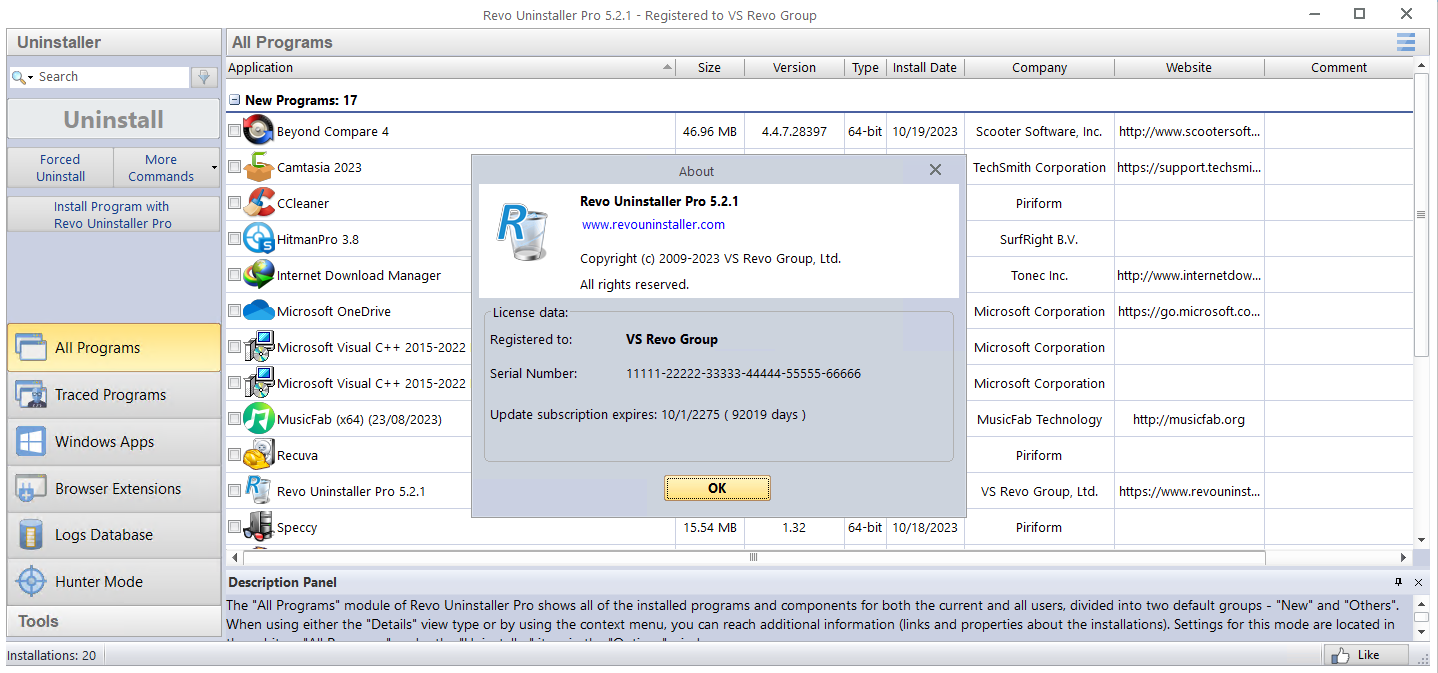
Revo Uninstaller Pro Screenshots
File list
- Revo Uninstaller Pro 5.3.4


Rating
Similar torrents
| Name | Size | Date | |||
|---|---|---|---|---|---|
Revo Uninstaller Pro 5.5.2 in Software | 17 MB | Yesterday | 38 | 3 | |
Revo Uninstaller Pro 5.5 in Software | 17 MB | 07/16/26 | 38 | 1 | |
| 19 MB | 05/15/23 | 27 | 1 | ||
Revo Uninstaller Pro 5.1 FULL Verified in Software | 20 MB | 03/15/23 | 26 | 1 | |
Revo Uninstaller Pro v5.5.2 + Fix Verified in Software | 17 MB | 08/07/26 | 24 | 0 | |
Revo Uninstaller Pro 5.4.3 FINAL in Software | 17 MB | 10/15/25 | 23 | 0 | |
| 19 MB | 01/13/25 | 19 | 1 | ||
Revo Uninstaller Pro 5.5 in Software | 17 MB | 06/28/26 | 18 | 0 | |
Revo Uninstaller Pro 5.3.5 Verified in Software | 17 MB | 01/18/25 | 17 | 0 | |
Revo Uninstaller Pro 5.5.2 Verified in Software | 17 MB | 07/29/26 | 15 | 1 | |
| 27 MB | 08/03/26 | 11 | 0 | ||
Revo Uninstaller Pro 5.5.2 Multilingual Verified in Software | 17 MB | 07/30/26 | 11 | 0 | |
Revo Uninstaller Pro 5.4.0 in Software | 17 MB | 06/09/25 | 10 | 0 | |
Revo Uninstaller Pro v5.5.0 Portable Cracked in Software | 131 MB | 07/16/26 | 9 | 0 | |
Revo Uninstaller Pro 5.3 Verified in Software | 17 MB | 06/10/24 | 8 | 0 |